Finish Every Image in One Place
Create, resize, upscale, restyle, and add clean text to your images without bouncing between a pile of disconnected apps.
Reserve Your Seat, $10
One Image Should Not Require Five Different Tools
You generate an image in one platform. Then you open another tool to upscale it. Another to add text. Another to resize it. Then you manually crop three more versions because every platform wants a different aspect ratio.
The image was not the hard part. Finishing it was.
That is not a skill problem. It is a tool-sprawl problem.
During the ImageWorks: The One Stop Image Tool™ Express Training, Shannon will show you how to bring those scattered steps into one practical workflow using Google AI Studio.
One workflow. One tool. Every image finished, ready to publish.
Reserve Your Seat, $10Stop Building an Image Stack. Build One Image Workflow.
If creating the image takes five minutes but finishing it takes another hour, the process is the problem. The ImageWorks: The One Stop Image Tool™ Express Training will show you how to simplify that process in one focused, two-hour session.
Fewer tools. Fewer extra steps. More finished images.
A Practical Workflow Inside Google AI Studio
Create a complete set of on-brand images in one place
Choose a dependable aspect ratio before generating
Resize images for different platforms without manual cropping
Improve image resolution up to 4K where supported
Bring in images created with Midjourney or other platforms
Apply a visual style using a reference image
Add clean, readable text directly to an image
Turn the process into a workflow you can repeat
Everything Included in This Training
Complete Image Sets, Fast
Create a full set of on-brand images in one place, without switching platforms.
Any Platform, Any Size
Resize instantly for every platform, no manual cropping required.
Sharper, On-Style Results
Upscale up to 4K and apply a consistent visual style using a reference image.
Clean Text & Repeatable Workflow
Add clean, readable text directly to images and leave with a workflow you can repeat.
Before You Arrive
Google AI Studio runs inside your browser through a Google account. You do not need to install or configure a complicated image system before the session, Shannon will walk you through the workflow live.
A Google account
One or two images you would like to improve, if you have them
A real project you want to finish
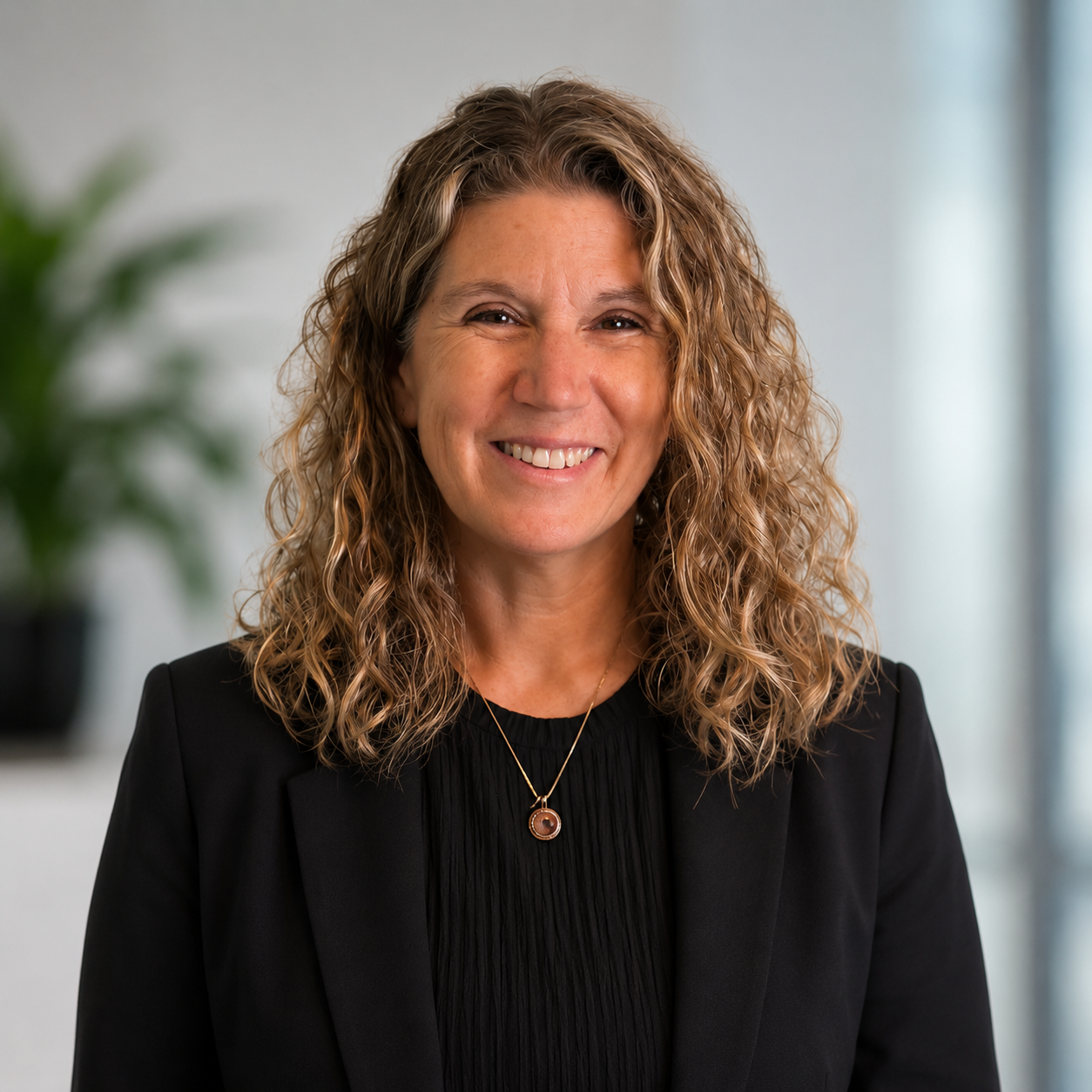
30+ Years of Business and Visual Strategy Experience
Shannon Cascio
Shannon Cascio is a visual strategist with more than 30 years of experience in business, online sales, and marketing, along with a background in broadcasting. She helps business owners turn their ideas, stories, and offers into recognizable, on-brand visuals.
For the past 20 years, Shannon has owned and operated two brick-and-mortar service businesses, giving her practical experience in building brands, connecting with customers, and selling ideas face to face. She has also taught more than 50 courses, primarily focused on AI image creation and visual branding.
Save Your Spot
Live Training
- ✓ Live 2-hour session with Shannon Cascio
- ✓ Wednesday, September 2, 2026 at 2:00 PM ET
- ✓ Live Q&A during the session
- ✓ Full replay access included
Frequently Asked Questions
What is ImageWorks: The One Stop Image Tool™ Express Training?
It is a live, two-hour training that shows you how to create and finish images using a practical workflow inside Google AI Studio. You will see how to create, resize, upscale, restyle, and add readable text without moving every image through several disconnected tools.
Do I need Google AI Studio set up before the session?
No. You will be shown how to access and use the tool during the training.
Do I need a paid Google subscription?
Limited usage is available through a Google account. Some advanced features, higher resolutions, or increased usage may require a qualifying Google plan. The exact access requirements will be explained during the training.
Can I use my own brand photos?
Yes. The workflow can be used with existing photos as well as AI-generated images.
Can I bring images made in Midjourney or another platform?
Yes. You can bring an existing image into the demonstrated workflow and continue working with it.
Do I need experience creating AI images?
No. You can follow the training whether you already create AI images or are starting from scratch.
Is this training included with AI Insiders?
Yes. If you're already an AI Insider, this training is included at no additional cost.
Will there be a replay?
Yes. Every registration includes the replay, so you can revisit the training or catch up if you cannot attend the entire session live.